VL/003NORMAL MAP

VL_NormalFX

Footage into normal maps. Combine them, too.

IN DEVELOPMENT

Turns any footage into a normal map and combines it with other normal maps. Recover roundness from the shading in photos and check the result under a light, all inside After Effects.

VL_NormalFX key visual
  • FOOTAGE → NORMAL
  • NORMAL BLEND
  • SHAPE FROM SHADING
  • LIGHTING

01OVERVIEW

Overview

A plug-in that turns any footage into a normal map, right inside After Effects. Photos, live-action plates and textures all become surface detail. Choose the output method: Shape from Shading (the default) recovers the roundness of surfaces from the shading in photos and live-action plates, and Height Map uses brightness as height.

You can then combine another normal map with the result. Layer a noise normal map from VL_PerlinFX or the normal map of a texture to add fine relief to larger shapes. The default method, reoriented normal mapping (RNM), keeps the direction of the detail. The same effect can also output your footage shaded by a light, or with a light sweep gliding across the relief, instead of the normal map.
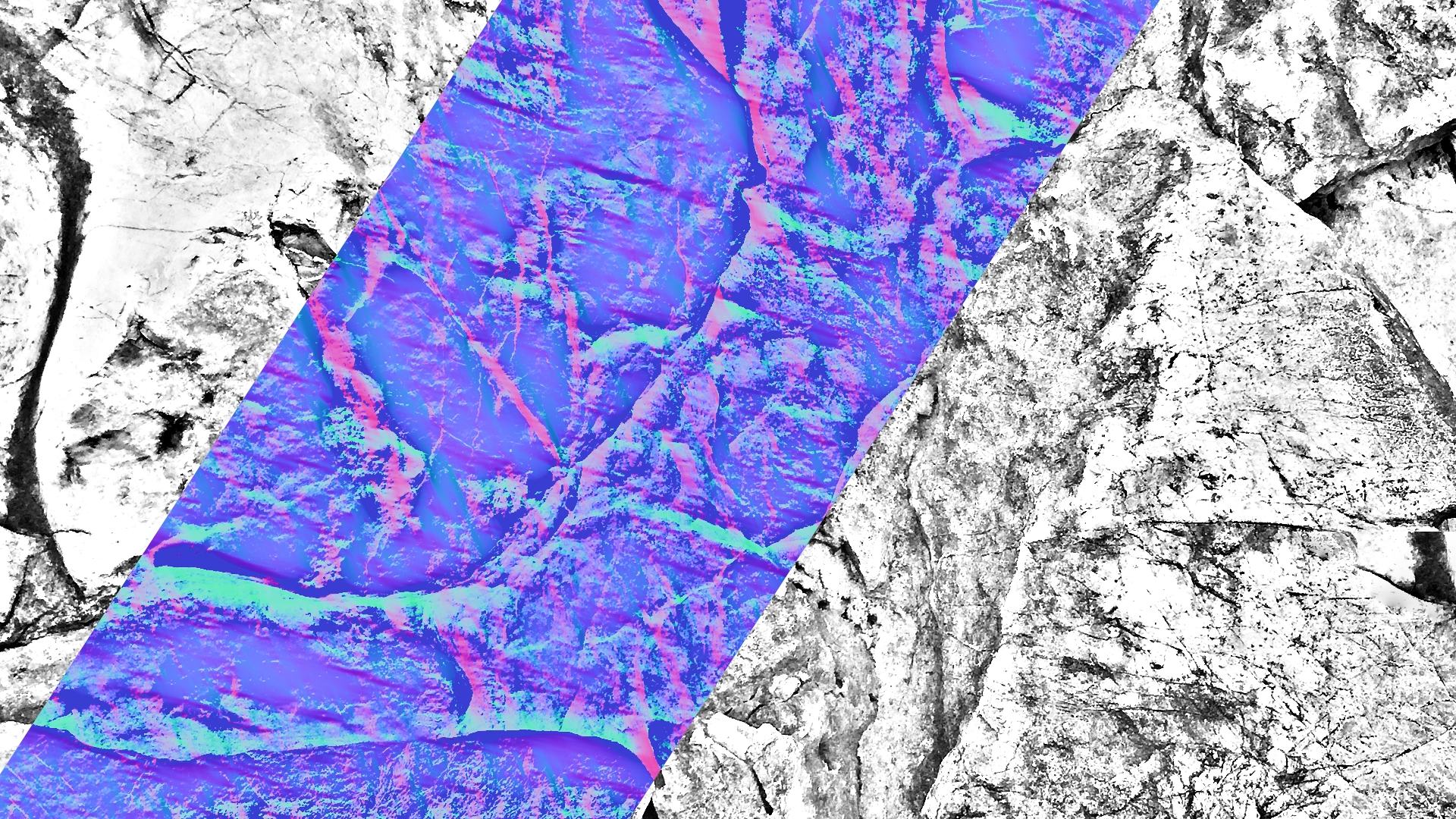
Source image
Normal map
BEFOREAFTER

Drag to compare the source with the normal map.

02FEATURES

Features

Features marked PLANNED are still to come.

01FOOTAGE TO NORMAL

Any footage into a normal map

Turns photos, live-action plates, textures and other footage into normal maps. Choose the output method: Shape from Shading (the default) recovers roundness from the shading, and Height Map uses the channel you choose (luma, saturation, R, G, B or alpha) as the height. Blur and strength shape the relief.

02SHAPE FROM SHADING

Shape from Shading

Reads the roundness of surfaces from the shading in a photo, for normal maps with more depth than brightness used as height. Match the direction and elevation of the light in the shot, then set the bump size and the amount of detail.

03STEADY ON VIDEO

Less flicker on video

Shape Smoothness strengthens by itself where the footage has fine texture, stains or video noise. Dark areas, where compression noise makes the relief flicker in blocks, are smoothed automatically too, while the relief of belt edges, seams and creases, where the picture clearly changes, stays; Dark Edge Strength sets how much. Streaks that grow from dots and stains along the light can be shortened with Streak Length.

04NORMAL BLEND

Combine another normal map

Combine the normal map of another layer, such as a noise from VL_PerlinFX or the normal map of a texture, to add fine relief to larger shapes. Choose reoriented normal mapping (RNM), which keeps the direction of the detail, or a simple average, and set the strength.

05LIGHTING

Light your footage

Turn on Composite on Original to output your footage shaded by a light instead of the normal map. Set the light direction and elevation, shadow brightness and highlight intensity. Blend Mode can also give the light alone on black, as a highlight layer to lay over the footage with Add or Screen.

06LIGHT SWEEP

Light sweep

A band of light glides across the relief. Set its position, direction, intensity, edge thickness and color, and turn off Use Lighting to get the sweep alone.

07BEVELPLANNED

Raise alpha shapes

Rounds up the edges of the alpha to give text and logos depth (basic version).

08GPUPLANNED

Built for the GPU

GPU acceleration (CUDA / OpenCL) is on the way.

04MOVIE

Video

05SPECS

Requirements

Host
Adobe After Effects 2024 or later
OS
Windows 10 / 11 (64-bit)
GPU
CUDA / OpenCL (planned)
Color depth
8 / 16 / 32 bpc
Multi-Frame Rendering
Supported
Interface
Japanese / English
Menu
Effect›Visual Logic›VL_NormalFX

In development; details may change.

06DOWNLOAD

Download

VL_NormalFX

Price
Free
Commercial use
Allowed
Version
v0.9.2 (pre-release)

We are giving away the pre-release versions (VL_PerlinFX v0.8.0, VL_NormalFX v0.9.2) free of charge. You can keep using them free after the official release. The free download is available only until the official release. Agree to the license agreement on the download page, then download.